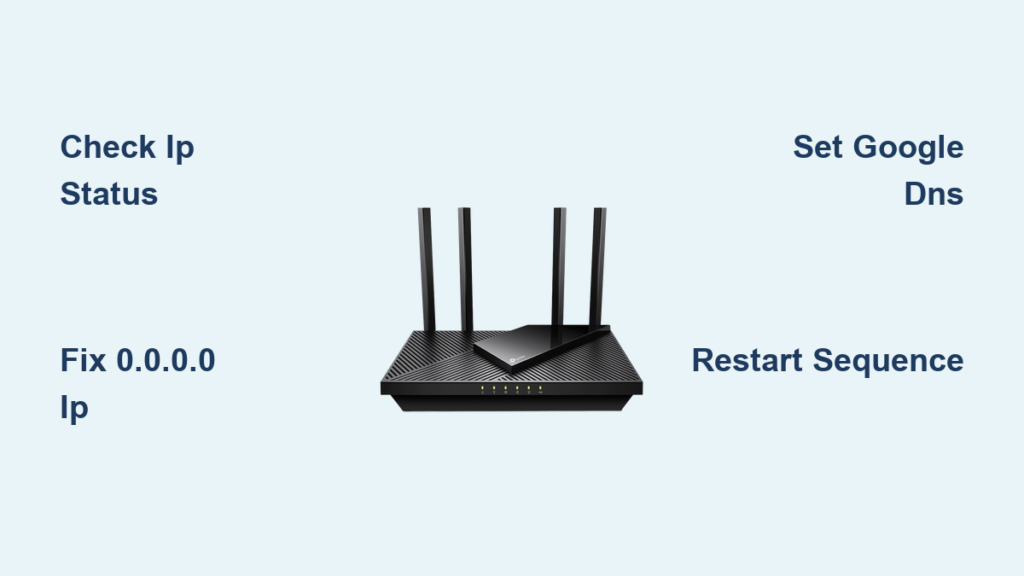
Your video call freezes mid-presentation, or your smart home devices suddenly lose connection. Before calling Spectrum support, a properly executed Spectrum router reset often resolves these headaches instantly. This guide delivers the exact steps to reset your Spectrum router—whether you need a quick power cycle or full factory restoration—so you regain reliable internet without losing critical settings unnecessarily.
Knowing how to reset Spectrum router devices correctly saves hours of frustration. You’ll discover which reset method matches your specific problem, avoid common pitfalls that brick your device, and get back online faster. Whether you have a Wave 2 Sagemcom unit or an E31T2V1 combo modem, we’ll cover model-specific procedures verified by Spectrum’s technical documentation.
Why Hard Reset Fixes Unresponsive Spectrum Routers
When Factory Reset Solves Critical Issues
Perform a hard reset when your Spectrum router won’t reconnect after outages, displays solid red lights, or has forgotten Wi-Fi passwords. This nuclear option erases all custom configurations—including network names, port forwarding rules, and parental controls—returning your device to factory defaults. Use it only for persistent problems that survive power cycling, as you’ll need to reconfigure everything afterward. The router reverts to printed default credentials on its label, so locate these before starting.
Soft Reset: The 2-Minute Connection Savior
A soft reset (power cycle) clears temporary glitches without erasing settings. Unplug your Spectrum router from the wall, wait 30-60 seconds for capacitors to discharge, then reconnect power. This resolves 80% of intermittent issues like slow speeds or dropped connections. Unlike factory resets, your Wi-Fi name and password remain intact. Always try this first—it takes just two minutes and avoids reconfiguration headaches.
Remote Reset: Fix Routers From Any Location
Spectrum’s remote reset feature proves invaluable when you’re away from home but need to restore internet for family members. Through your online account or mobile app, initiate a reset that reboots your router without physical access. This method preserves most settings while clearing network errors. Confirm your router model supports this feature first—Wave 2 units typically do, while older combos may require physical intervention.
Physical Reset Button Procedures That Actually Work

Standard Reset Button Technique
Locate the recessed reset button on your Spectrum router’s back or bottom panel. Insert a paperclip firmly and hold for 10-15 seconds while watching LED indicators. Lights will blink or power cycle when reset initiates. Release immediately when lights react—holding longer won’t speed recovery. Wait 2-3 minutes for full reboot before checking connections. Critical tip: Some models like the E31T2V1 require 25-30 seconds; if no response at 15 seconds, extend to 30.
30-30-30 Reset for Frozen Routers
For completely unresponsive devices, the 30-30-30 method forces deep recovery:
1. Power on router and wait for full boot (all lights stable)
2. Press reset button for 30 seconds
3. Keep holding while unplugging power for 30 seconds
4. Continue holding while plugging power back in for final 30 seconds
5. Release and wait 5 minutes for complete restoration
This sequence clears corrupted firmware partitions that standard resets miss, especially on Askey RAC2V1K models.
Power Cycling Steps That Prevent Spectrum Outages
Standard Power Cycle Protocol
Unplug your Spectrum router’s power cord, count to 60, then reconnect. Wait 90 seconds for status lights to stabilize—solid blue/green indicates success. This simple step resolves temporary DHCP errors causing “No Internet” warnings. Never skip the 60-second wait; capacitors need full discharge to clear memory glitches. If lights blink erratically after reboot, repeat the cycle once more before escalating.
Extended Power Cycle for Modem/Router Combos

For persistent offline issues with E31T2V1 units:
1. Unplug both router and modem power
2. Disconnect coaxial cable from modem for 30 seconds
3. Reconnect coaxial firmly
4. Plug in modem first and wait 3 minutes for lights to stabilize
5. Power on router and wait 2 minutes
This sequence ensures proper network handshake with Spectrum’s servers. Skipping the coaxial disconnect often causes failed re-provisioning.
Remote Spectrum Router Reset Without Leaving Home
Spectrum Website Reset Walkthrough
Log into spectrum.net > Services > Internet. Select your router from equipment list and click “Reset Equipment.” Confirm the action and monitor progress bars showing “Restarting” to “Online.” The entire process takes 7-10 minutes. Warning: Wave 2 Arris models may display “Pending” status for 5 minutes—do not interrupt the cycle. After completion, reconnect devices using default Wi-Fi credentials from your router label.
Mobile App Reset in Under 60 Seconds
Open the My Spectrum app > Services > Internet. Tap your router name, then the refresh icon. Confirm “Reset Equipment” in the pop-up. The app shows real-time progress with estimated completion time. Askey RAC2V1K users: default Wi-Fi network will appear as “SpectrumSetup-XXXX” post-reset. Connect within 10 minutes to configure new settings before security protocols lock access.
Post-Reset Setup Checklist to Avoid New Issues
Critical Wi-Fi Reconfiguration Steps
After any factory reset, immediately:
– Create a new SSID (avoid special characters)
– Set 12+ character Wi-Fi password mixing letters/numbers/symbols
– Select WPA3 security (or WPA2 if incompatible devices exist)
– Connect via Ethernet cable to access 192.168.1.1 admin panel
Never skip changing default admin credentials—leaving “admin/password” exposes your network to breaches. Document new settings before closing the admin page.
Spectrum-Specific Reactivation Requirements
Some models like the Sagemcom RAC2V1S require Spectrum reactivation post-reset:
1. Note the MAC address on router label
2. Call 1-833-267-6094 if internet doesn’t restore after 15 minutes
3. Provide MAC address for network re-provisioning
4. Wait 5 minutes for Spectrum’s system to recognize device
Modem/router combos often need this step—don’t assume automatic recovery.
Model-Specific Reset Instructions That Prevent Bricking

Sagemcom RAC2V1S Wave 2 Router
Press the back-panel reset button for exactly 15 seconds until LEDs flash rapidly. Recovery takes 2 minutes. Access admin panel at 192.168.1.1 using credentials printed on the bottom label. Default Wi-Fi password is 12 random characters—copy these immediately upon reboot.
Askey RAC2V1K Wave 2 Router
Hold the bottom-panel reset button for 10 seconds until all lights turn off. The “SpectrumSetup-XXXX” network appears within 90 seconds. If lights stay off after 5 minutes, unplug for 2 minutes and retry—this model sometimes requires two reset attempts.
E31T2V1 Modem/Router Combo
Hold the back-panel reset button for 30 seconds to reset both modem and router functions. Critical: After reboot, disconnect coaxial cable for 60 seconds before reconnecting. This forces network re-registration—skipping this causes “Offline” status lights.
Troubleshooting Failed Resets Before Calling Support
Unresponsive Reset Button Fixes
If the button won’t trigger:
– Verify router is fully booted (all lights stable)
– Use a bent paperclip that fits snugly—not too thin
– Apply firm, straight pressure (angled pressure misses the switch)
– Hold for 25 seconds minimum (models vary)
For Arris RAC2V1A units, press through the rubber port cover—many users miss this hidden button.
No Lights After Reset: Hardware Check
If no LEDs appear after 10 minutes:
1. Test the power outlet with another device
2. Try a different power adapter (same voltage!)
3. Inspect for burnt smells near power port
4. Contact Spectrum for replacement if all fail
Persistent darkness indicates failed capacitors—do not attempt further resets.
Advanced Reset Scenarios for Business Users
Business Account Router Recovery
Spectrum Business routers lose static IP configurations during resets. Before proceeding:
– Document all port forwarding rules
– Note static IP assignments
– Save VoIP server settings
– Call business support (1-800-314-7195) for guided reconfiguration
Attempting solo recovery often causes 24+ hours of downtime for critical systems.
Custom Firmware Reset Protocols
For routers with DD-WRT/OpenWrt:
1. Access recovery mode via admin panel first
2. Use firmware-specific reset duration (often 40+ seconds)
3. Prepare TFTP recovery tools on standby
4. Expect 10+ minute reboots for dual-partition systems
Standard Spectrum reset procedures may corrupt custom firmware—consult your firmware documentation first.
Essential Safety Steps Before Any Spectrum Reset
Pre-Reset Documentation Protocol
Before touching reset buttons:
– Photograph current admin settings pages
– Save Wi-Fi passwords in password manager
– Export router configuration file (if option exists)
– Check Spectrum outage map to confirm local issues
This prevents 90% of post-reset configuration nightmares. For business users, schedule resets during maintenance windows.
During Reset: Avoiding Costly Mistakes
Never:
– Unplug during reset process (causes firmware corruption)
– Hold reset button beyond 30 seconds unnecessarily
– Skip the coaxial disconnect step for combo units
– Attempt multiple resets in quick succession
Watch LED patterns—they signal progress: blinking = resetting, solid red = failure, solid blue = success.
Reset Time Expectations by Method
Realistic Duration Breakdown
- Soft reset: 2 minutes (90-second reboot + 30-second wait)
- Hard reset: 4 minutes (30-second hold + 3.5-minute reboot)
- Remote reset: 8 minutes (includes Spectrum network sync)
- 30-30-30 reset: 6 minutes (extended recovery phase)
Complex business setups add 30+ minutes for reconfiguration. Wave 2 routers reboot 30% faster than older models.
Reconfiguration Time Savers
- Basic home setup: 8 minutes (Wi-Fi + admin password)
- Advanced home setup: 20 minutes (parental controls + QoS)
- Business setup: 75 minutes (static IPs + VoIP reconfiguration)
Save time by preparing new settings on your phone before resetting.
Key Takeaway: Always start with a soft reset—90% of Spectrum router issues resolve in two minutes without configuration loss. Reserve factory resets for persistent red-light errors or forgotten passwords, and document settings first. For Wave 2 routers, remote resets through the Spectrum app often outperform physical methods. If internet doesn’t restore within 15 minutes post-reset, contact Spectrum with your router’s MAC address for immediate re-provisioning.