Your handheld router wobbles during critical cuts, leaving inconsistent dado joints that ruin your cabinet project. You measure twice but cut still drifts, wasting expensive hardwood while frustration builds. This universal pain point is why professional woodworkers never route freehand—they rely on custom router jigs. These precision guides transform your handheld router into a repeatable cutting system that delivers identical joints across dozens of pieces. In this guide, you’ll learn exactly how to make a router jig that eliminates guesswork and guarantees professional results for mortises, dovetails, and box joints.
Unlike store-bought solutions, a DIY jig adapts to your specific router and shop conditions. You’ll build a versatile dado jig in under two hours using common materials, then master calibration techniques that ensure cuts match your plans within 0.005 inches. Stop battling inconsistent results—let’s create your precision routing system.
Design Your Router Jig for Rock-Solid Stability
:max_bytes(150000):strip_icc()/100988691-88b2c646edbe4f50bc4d5c549c0756d8.jpg)
Every successful jig combines three non-negotiable elements: a vibration-damping base, adjustable positioning fences, and a router-guiding mechanism. Skip any one component, and your cuts will wander. Start by measuring your router’s base diameter including handles—this determines your template opening size. Then add ¼” to your largest bit diameter for safe clearance. For a typical ½” straight bit, your opening must be at least ¾” wider than the router base.
Choose Materials That Resist Warping
Baltic birch plywood outperforms standard plywood for jig bases. Its cross-banded layers prevent humidity-induced warping that ruins alignment. When building a single-use jig, construction plywood suffices, but Baltic birch’s stability pays off during critical joinery. For template surfaces, sealed MDF provides laser-straight edges—apply three coats of polyurethane to edges to block moisture absorption. Where router bits contact the jig repeatedly, hardwood strips (maple or oak) on fence faces extend lifespan dramatically. For visual precision work, ¼” acrylic templates let you see cut lines, but drill pilot holes first to prevent cracking.
Plan Critical Dimensions Before Cutting
Sketch your jig with these measurements:
– Base plate size = largest workpiece dimension + 2″ for clamping
– Fence spacing = exact joint width + 1/32″ for test cuts
– Slot locations = every 1″ along base edges for micro-adjustments
– Template opening = router base diameter + ½” total clearance
Include T-track channels for hold-downs that won’t interfere with router movement. Position depth stops where you can easily reach them mid-cut—never behind the router path.
Gather Precision Tools for Flawless Construction
Cutting and Measuring Essentials
Skip these tools, and your jig becomes a frustration generator:
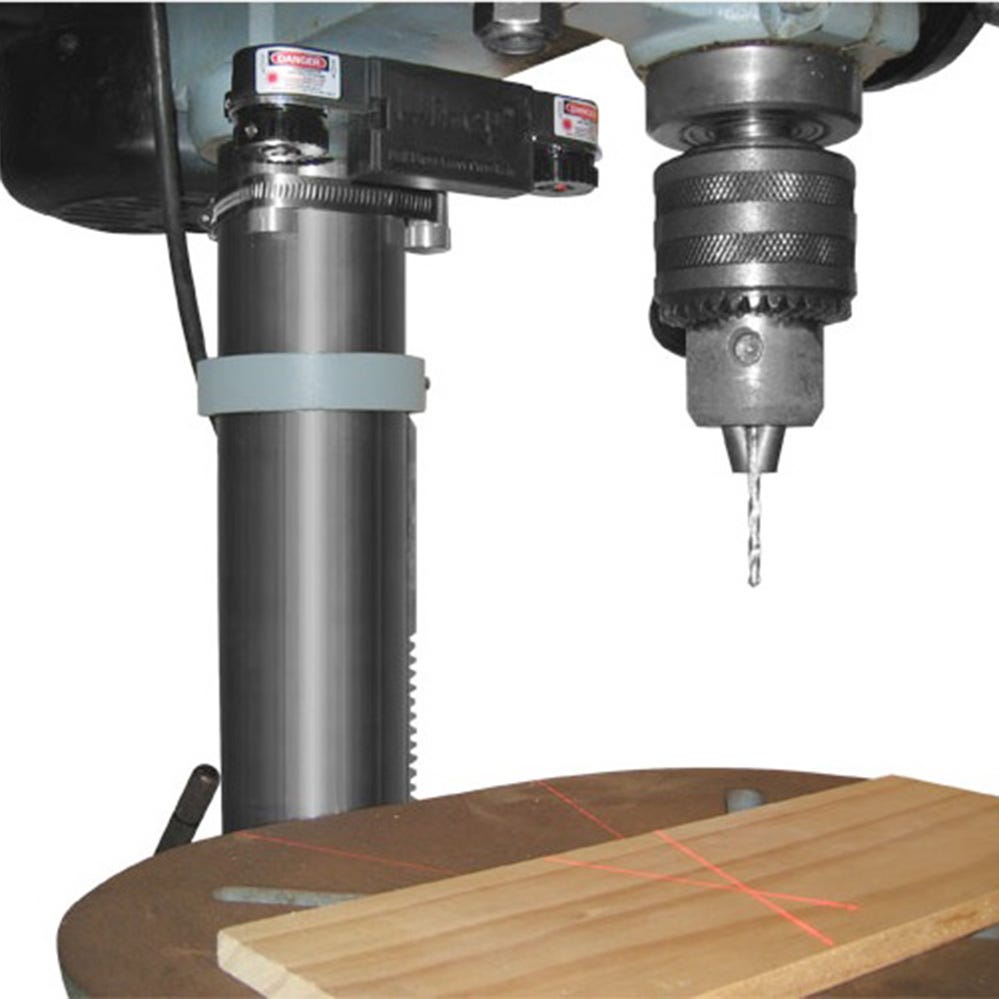
– Drill press with Forstner bits (½”, ¾”, 1″) for clean adjustment slots
– Digital calipers (6″+ range) to verify fence parallelism within 0.005″
– Steel straightedge longer than your jig base to check fence alignment
– Marking knife for knife-edge layout lines that resist smudging
A table saw ensures square base corners, but a circular saw with straight-edge guide works. You’ll also need sharp chisels (¼”, ½”, ¾”) to square slot corners after drilling.
Hardware That Prevents Drift During Use
Invest in these game-changing components:
– ¼”-20 T-bolts with knobs for instant fence adjustments
– Threaded inserts in movable fences (never rely on wood screws alone)
– UHMW plastic strips on sliding surfaces for friction-free movement
– T-track clamps that won’t slip under routing pressure
Skip the hardware store lumber—use ¾” hardwood strips for fence faces. Softwood compresses under router force, ruining alignment after three uses.
Build Your Dado Jig in Four Critical Phases
Construct the Vibration-Damping Base
Cut a 24″ x 12″ rectangle from ¾” Baltic birch using your table saw’s miter gauge for square corners. Drill ¼” wide x 2″ long adjustment slots every 1″ along both long edges on the drill press—wobbly hand-drilled slots cause fence drift. Counterbore ⅜” holes ¼” deep on the underside so screw heads sit flush. Attach two ¾” x 1½” x 24″ hardwood strips along the edges; these become your primary fences.
Install Micro-Adjustable Fences
Draw a centerline down the base plate—this becomes your zero reference. Secure the left fence 2″ from centerline with 1¼” wood screws (pre-drill pilot holes!). For the right fence, drill ¼” holes at each slot location, then install ¼”-20 threaded inserts from the underside. Test movement: the fence should slide smoothly with no wobble. If it binds, sand the slot edges; if loose, add plastic shims.
Create the Router-Guiding Template
Place your router base on scrap plywood and trace its outline. Cut an opening ½” larger than this tracing using a jigsaw (¼” clearance on all sides). Test the fit: your router must glide freely while maintaining constant contact with the template edge. Glue ¼” x ¾” hardwood edge banding around the opening—this sacrificial layer lets you replace worn sections without rebuilding the entire jig.
Add Foolproof Alignment Systems
Mark perpendicular reference lines every 2″ across the base with a combination square. Apply self-adhesive measuring tape along both long edges for instant positioning. Create stop blocks from 1″ x 1″ x 2″ hardwood, drilling ¼”-20 threaded holes for T-bolts. Verify accuracy by setting a 3″ stop block—your test cut must land exactly at 3″ from the fence.
Calibrate Your Jig to Professional Standards
Verify Fence Alignment in 60 Seconds
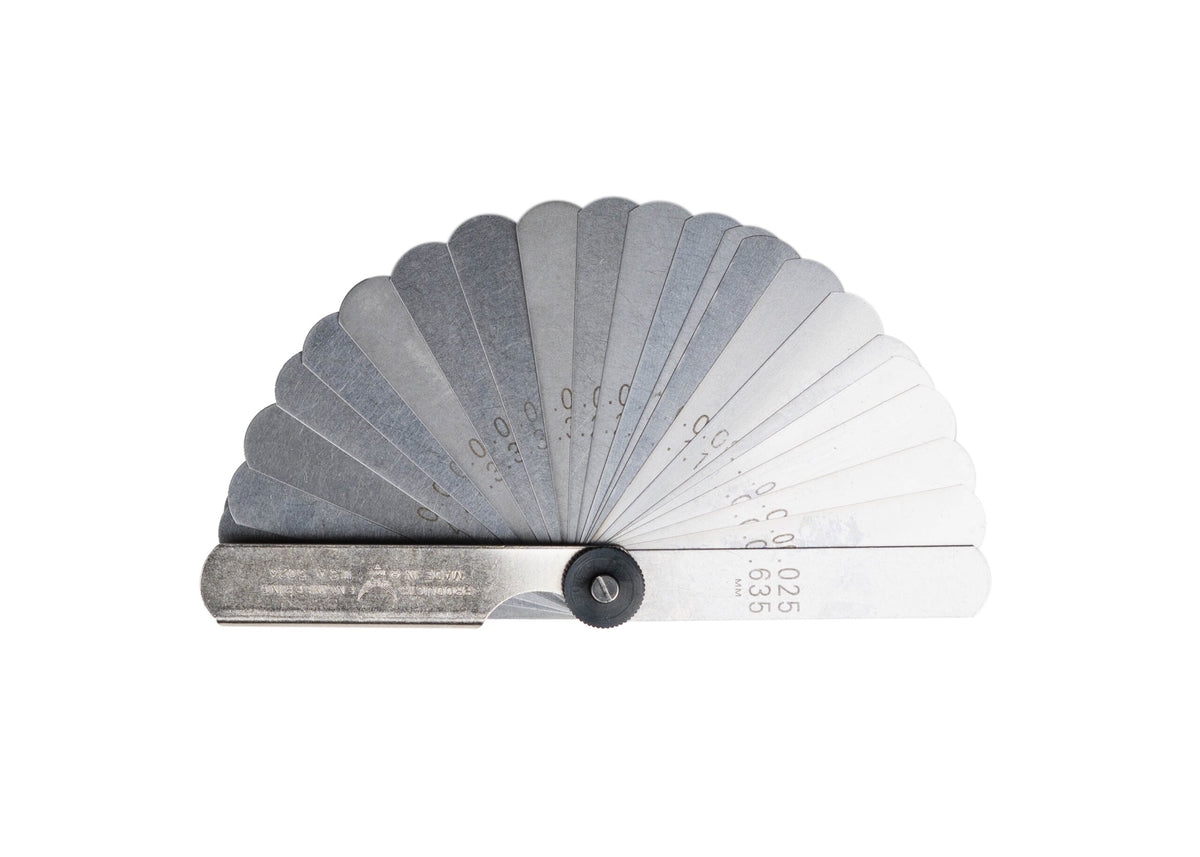
Place a steel straightedge against your fence and check for gaps with feeler gauges. Any gap over 0.002″ requires adjustment. Test squareness using a framing square at three points along the fence. Measure fence spacing at both ends and the center—differences over 0.005″ mean your slots aren’t parallel. Fix drift with paper shims: one sheet adds 0.004″ offset.
Center Router Bits Like a Master Craftsman
Lower your bit to lightly kiss the base plate surface and mark the center point. Make a test plunge cut in scrap, then measure the actual cut position versus your mark. For micro-adjustments, slip notebook paper shims between fence faces and the base plate. Two sheets (0.008″ total) correct most common offset errors.
Integrate Non-Negotiable Safety Systems
Prevent Kickback During Operation
Always ensure ¾” of router bit shank engages the collet—loose bits cause violent kickback. Position your jig so you feed workpieces against the bit’s rotation (right-to-left for most routers). Install featherboards and hold-downs before starting the motor—never route without them. Apply 220-grit sandpaper to the base plate surface to prevent workpiece slippage.
Build Emergency Safety Features
Mount a paddle switch within easy reach of your dominant hand. Design the jig with clear sight lines to the cutting area—never obstruct your view of the bit. Position handles so your fingers stay 6+ inches from the bit path. For extended use, wear earmuffs rated NRR 25dB and safety glasses with side shields.
Maintain Peak Performance with Daily Checks
Combat Wear Before It Ruins Cuts
Daily: Wipe dust from slots and fences with a dry cloth. Check fence tightness—loose fences cause 90% of “inconsistent cut” complaints. Weekly: Apply paste wax to sliding surfaces and inspect fence faces for grooves. Replace faces when wear exceeds 1/16″. Monthly: Verify squareness and parallelism; clean adjustment threads with dry graphite lubricant.
Store for Longevity
Store jigs flat on shelf supports—never lean against walls where warping occurs. Cover with canvas to block dust but avoid plastic (traps moisture). Label each jig with its purpose and critical dimensions like “DADO JIG: ¼” BIT MAX DEPTH.”
Troubleshoot Critical Errors in Minutes
Fix Inconsistent Cut Depth Immediately
If cuts deepen mid-project, your base plate is flexing. Solution: Glue a ¼” aluminum sheet to the jig’s underside. For fence drift during use, replace standard knobs with cam-action clamps—they provide 3x the holding force. Router binding in the template? Enlarge the opening to ⅜” clearance and vacuum debris after each pass.
Eliminate Measurement Errors
Systematic errors (all cuts 1/32″ long) mean your center point is offset—recalibrate using the paper shim method. Random variations indicate dull bits or inconsistent feed rates. Always let wood acclimate 48 hours in your shop before precision work—temperature swings cause 0.003″ dimensional shifts in hardwood.
Optimize Cutting Performance for Flawless Results
Match Speed and Feed to Your Material
- Softwoods: 19,000 RPM with steady, moderate feed
- Hardwoods like oak: 17,000 RPM with slow, deliberate feeding
- Plywood: 20,000 RPM with consistent speed to prevent chipout
- MDF: 18,000 RPM with fast feed and sharp carbide bits
Select Bits for Your Jig Application
Use ½” straight bits for dadoes, but switch to spiral bits for cleaner through-cuts—up-cut spirals pull chips upward, while down-cut versions prevent tear-out on veneered plywood. For template work, bearing-guided flush trim bits deliver perfect edge matching.
Your router jig is now a precision instrument capable of professional joinery. Start with simple dados, then progress to dovetails using the same jig principles. Remember: the best jig lives on your bench—not in a cabinet. Keep it calibrated, store it accessible, and you’ll transform frustrating router sessions into satisfying, repeatable success.